
Request handling and technician software for buildings
Unitify's CRM turns every resident request — from the resident app, or typed in by the dispatcher after a call — into a tracked ticket with a status, an address and an assignee. Technicians get their own app for the job in front of them; managers get an alert the moment anything moves. Ande Tower, a residential complex in Georgia, handles requests 3x faster since switching.
How a request moves
A resident sends a request
From the resident app, or entered by the dispatcher for residents who call instead.
It becomes a tracked ticket
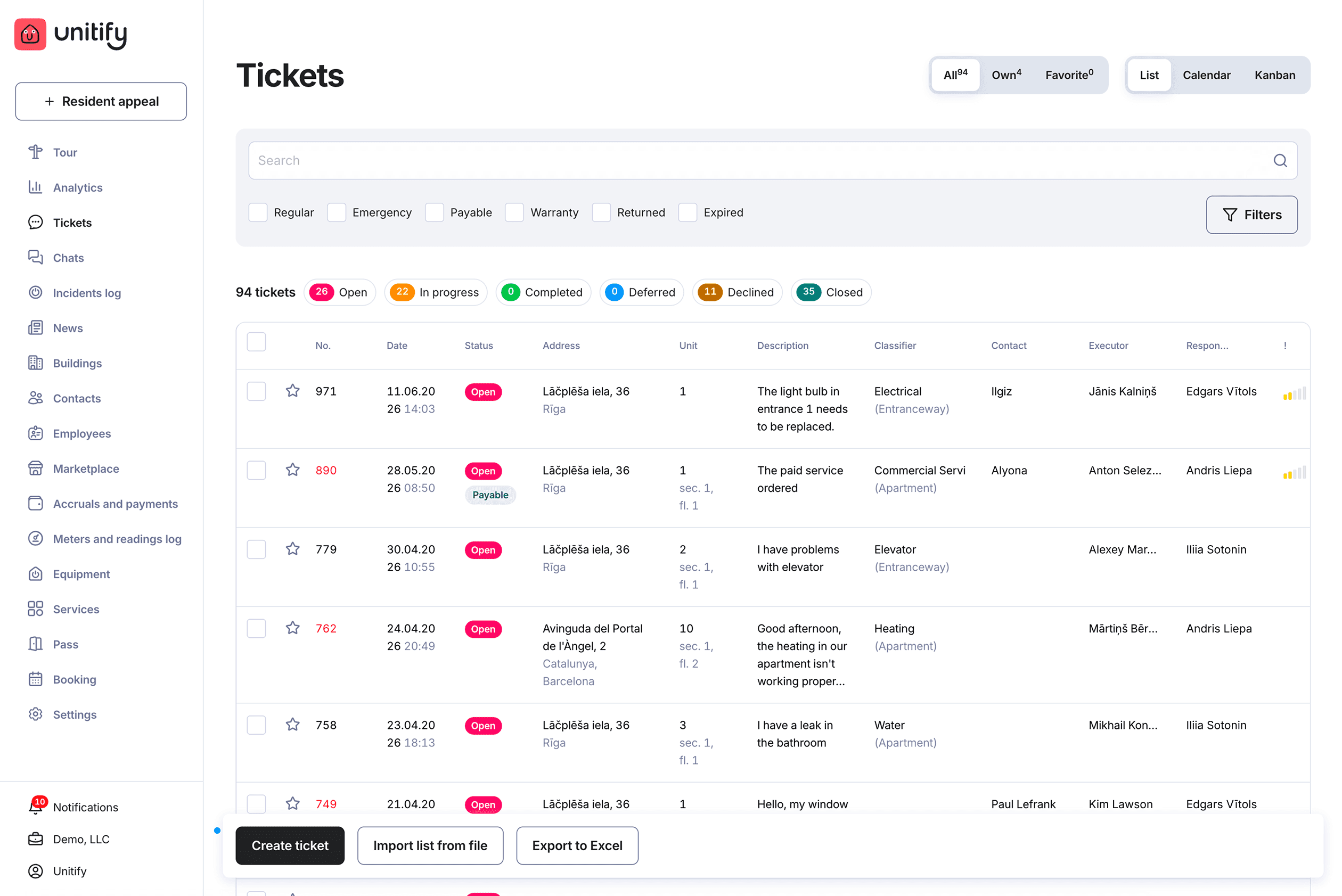
The ticket carries its date, status, address, unit and the resident's own description, sorted by type — regular, emergency, payable, warranty — and by category, from electrical to intercom.
A technician takes it
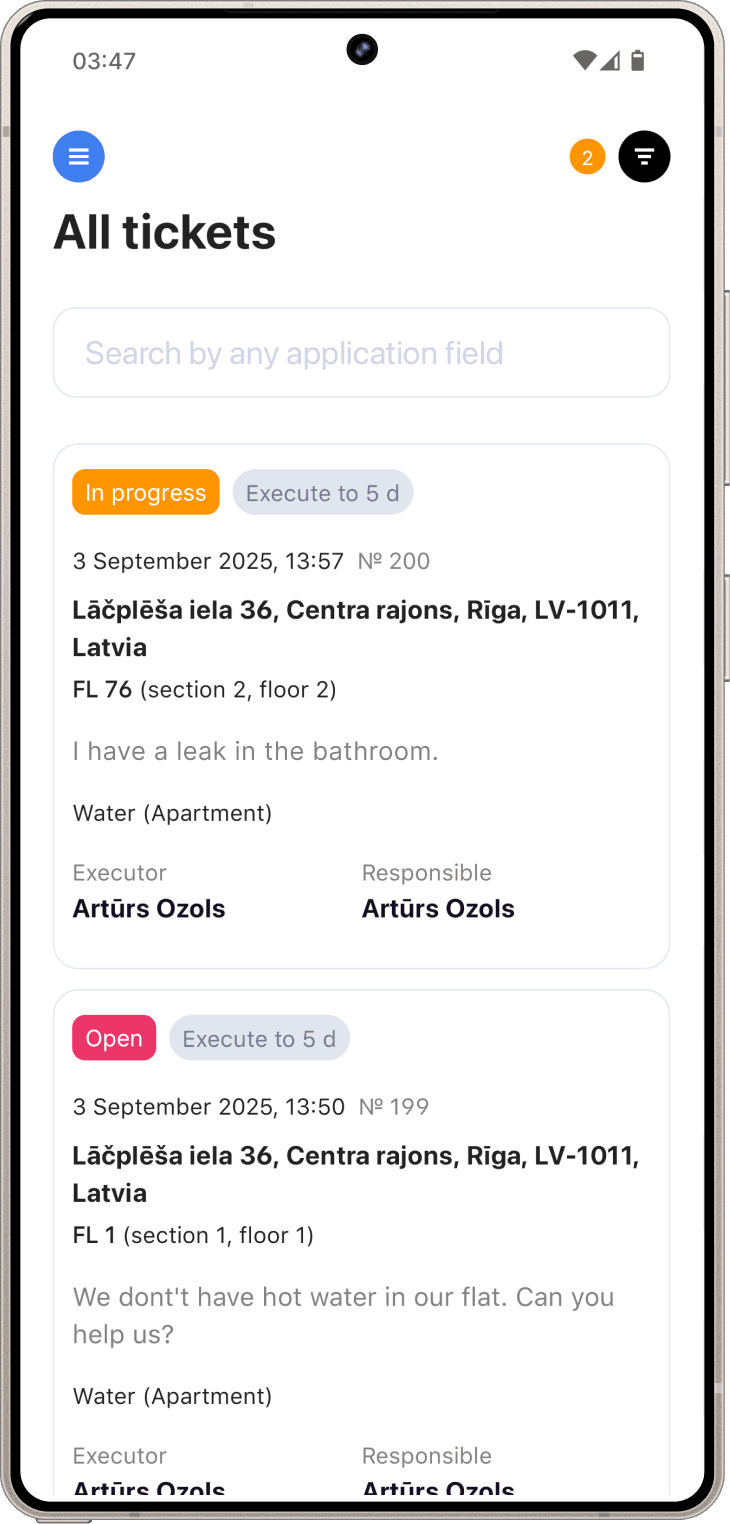
The technician app shows today's jobs, the route between them, photos, parts and checklists, and keeps the dispatcher and the resident posted as the status changes.
The manager sees it close
Six open tickets or six hundred, the same list shows date, status, address, unit and description — exportable to Excel.
What the CRM and technician app do
One ticket list, three views
List, calendar or kanban, with search and filters across every building.
Typed and categorized
Regular, emergency, payable, warranty, returned or expired; electrical, elevator, heating, water, intercom or commercial services.
A full status trail
Open, in progress, completed, deferred, declined or closed, with the executor and the manager responsible for each ticket.
A dedicated technician app
Today's jobs, the route between them, photos, parts and checklists for technicians and engineers in the field — with an alert to managers the moment anything moves.
Proven faster
Ande Tower (Georgia) handles requests 3x faster since moving to Unitify.
What this doesn't do
- The technician app's scope is exactly what's described above — today's jobs, the route between them, photos, parts and checklists, and status updates. There's no separate field-service module beyond that today.
- Dispatch is human — the AI dispatcher dialogue on the homepage is a demonstration.
- Bulk ticket handling in the UI is import from a file and export to Excel; programmatic access is the Open API on Pro. See pricing
Device integration
Hikvision video intercoms connect to the resident app through Hikvision's interface, under the project; door controllers, Dahua and other hardware with an API or SIP interface are connected the same way. An intercom call reaches the resident's phone, the same app that shows their tickets.
See what you can connect, by category
By country
How Unitify fits the management model in:
Price
The ticket list and technician app are included in the core features on every plan. The AI request classifier ships on Base and Pro. See the full breakdown on the pricing page.
See full pricingReady to stop losing requests in group chats?
Start free — no card. Or book a walkthrough and we'll show you the ticket list with your own buildings.
Frequently asked questions
How does a resident request turn into a ticket?
It arrives from the resident app, or the dispatcher enters it after a call, and becomes a ticket with a status, address, unit and assignee — the same record a call to the office used to create by hand.
What ticket statuses and types are there?
Open, in progress, completed, deferred, declined and closed; types are regular, emergency, payable, warranty, returned and expired, with categories from electrical to intercom.
Does the technician get their own app?
Yes — today's jobs, the route between them, photos, parts and checklists, with status updates back to the dispatcher and resident.
How much faster does this make request handling?
Ande Tower, a residential complex in Georgia, handles requests 3x faster since moving to Unitify.
Does this cover video intercom requests?
Hikvision video intercoms connect to the resident app through their own interface under the project — an intercom call reaches the resident’s phone directly.
The same job, done for you
One page on who does what, what you approve and where it stops.
Related reading
- Beyond Maintenance: How Additional Services Boost Engagement
- Better Planning, Better Maintenance
- Smart Request Handling: Turning Maintenance Issues Into Loyalty Moments