
HOA and condo association website: a page for every building
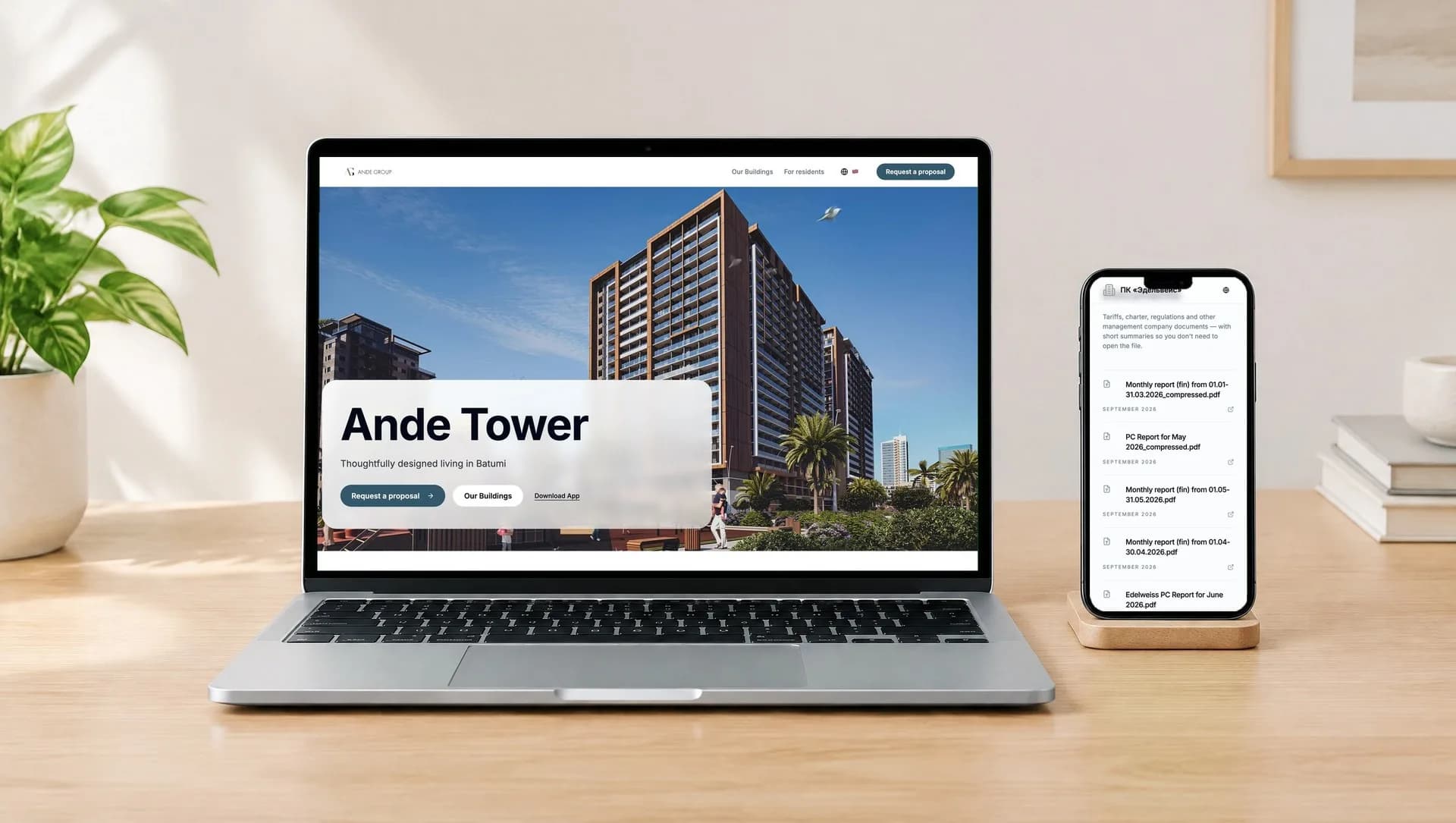
Every management company, HOA or condo association on Unitify can have its own branded website at unitify.homes: a home page for the organisation and a page for each building, with its documents, news, contacts, apartment count, services and a link to download the resident app.
You publish a news item, a document or a monthly report once in Unitify. It reaches residents in the app and shows on the building's page. You set the site up yourself, with no web agency and no separate hosting.
What the site gives you
A branded home page for the organisation
Your name and logo on an address of your own, unitify.homes/your-name, with the list of your buildings and a For residents entry point.
A page for every building
Each building gets its own page with the apartment count, the services residents can use in the app, the management organisation's contacts and the App Store and Google Play download buttons. A resident finds their building in the list and sees who manages it and how to reach them.
Charter, tariffs and regulations
The charter, the tariffs, the regulations and other management company documents sit on the building's page, and a document can carry a short summary so residents don't have to open the file.
News and announcements
A news item you publish in Unitify reaches residents in the app and by email, and shows on the building's own website too.
Monthly reports, published once
Monthly reports go up as documents on the site. One publication in Unitify, and residents can read it in the app and on the site.
Residents who don't install the app
The building's documents, news, requests and payments are also available in a browser where the building has them set up, on the building's own page. The full set of resident features, such as guest passes and booking, stays in the app, and the page links to it.
Two live examples
Both sites are live and run by the organisations that manage the houses. Open Ande Tower to see a real building page; the other shows its monthly reports on the home page.
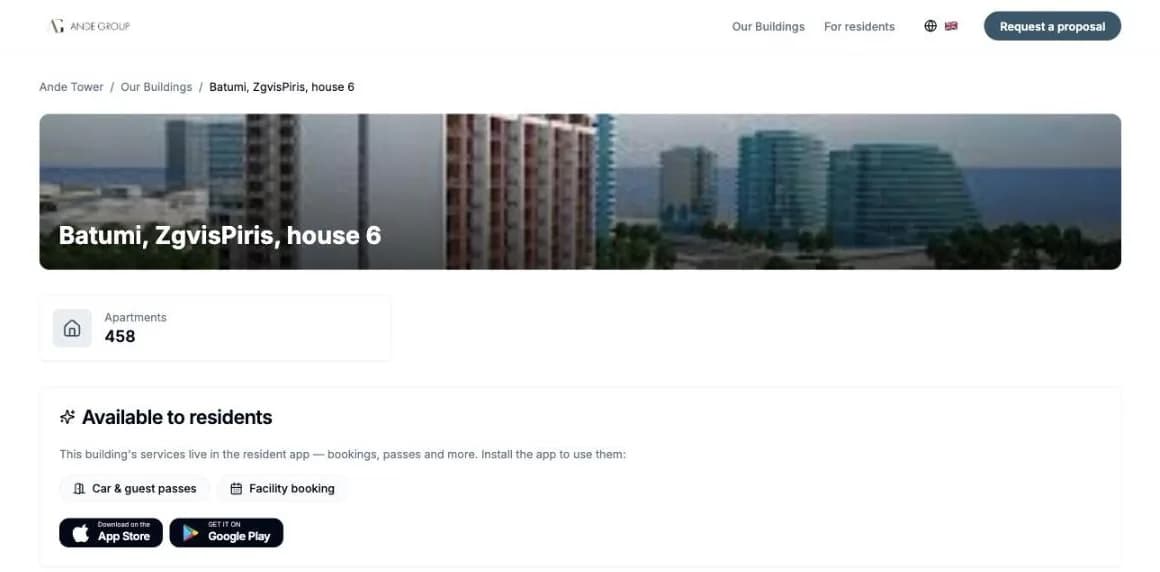
Ande Tower, Batumi
A building page: the apartment count, the services the building offers in the resident app (car and guest passes, facility booking), the App Store and Google Play buttons, and the documents and the management organisation's contacts.
Open unitify.homes/ande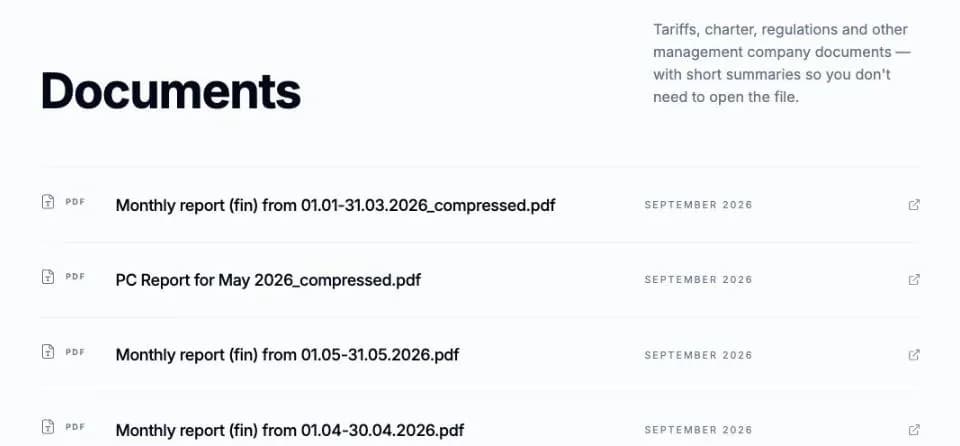
Edelweiss residents' cooperative (ПК «Эдельвейс»), Almaty
The residents' cooperative of a cottage community publishes its monthly financial reports as documents on its unitify.homes site.
Open unitify.homes/edelveis
How it works
Set the site up in Unitify
The management company creates the organisation's page and adds the buildings it wants on the site: name, apartments, contacts, services.
Publish once
Post a news item, upload a document or a monthly report in Unitify. It goes to residents in the app and appears on the building's page.
Residents find their building
A resident opens the organisation's site, picks their building, reads the news and documents, downloads the app, and where the building has it set up, pays and sends a request from the same page.
The building website is part of the Unitify platform. News posts follow your plan: one a month on Free, unlimited on Base and Pro. The pricing page shows what each plan includes.
See full pricingWhat it does not do
- A building has a website only once its management company sets one up. It is not created automatically for every building on Unitify.
- The page tells residents which services the building offers and links to the app; passes, booking and the other resident services themselves run in the app. There is no full web version of the resident app.
- Paying from the page works only where the management company has a payment rail integrated; elsewhere residents pay outside the app and the site. See billing
Frequently asked questions
What is the Unitify building website?
A branded site for a management company, HOA or condo association at unitify.homes. The organisation has a home page, and each building it adds gets its own page with documents, news, contacts, the apartment count, the services available in the resident app and links to download it.
Does every building get a website automatically?
No. The management company sets the site up itself and chooses which buildings go on it. A building that has not been set up has no page.
Do we need a web designer or hosting?
No. You set the site up in Unitify and it lives at an address on unitify.homes. There is nothing to host and nothing to build.
How do residents find the site?
The organisation's home page lists its buildings, so a resident opens the site, picks their building and sees its documents, news and the management organisation's contacts. You share the address with residents the way you share any link: in a notice, a chat or a message.
Do residents have to install the app?
No. The building's documents, news, requests and payments are also available in a browser where the building has them set up, on the building's own page. Services such as guest passes and booking live in the resident app, and the page links to it.
Can we publish monthly reports there?
Yes. Monthly reports go up as documents on the site, next to the other documents. One residents' cooperative already shows its monthly financial reports on its home page this way; for a real building page, look at Ande Tower above.
Is it only for HOAs?
It is for any organisation that manages owner-occupied buildings: management companies, HOAs, condo associations, co-ops and their equivalents. It is not built for landlords who rent out their own apartments.
Related reading
- How Ande Group Is Setting a New Standard for Residential Projects with Unitify
- Proactive Communication: How Push Notifications Reduce Complaints
- Financial Transparency Residents Value: Billing and One-Click Payments