
Master Community Map: See the Whole Community in Unitify
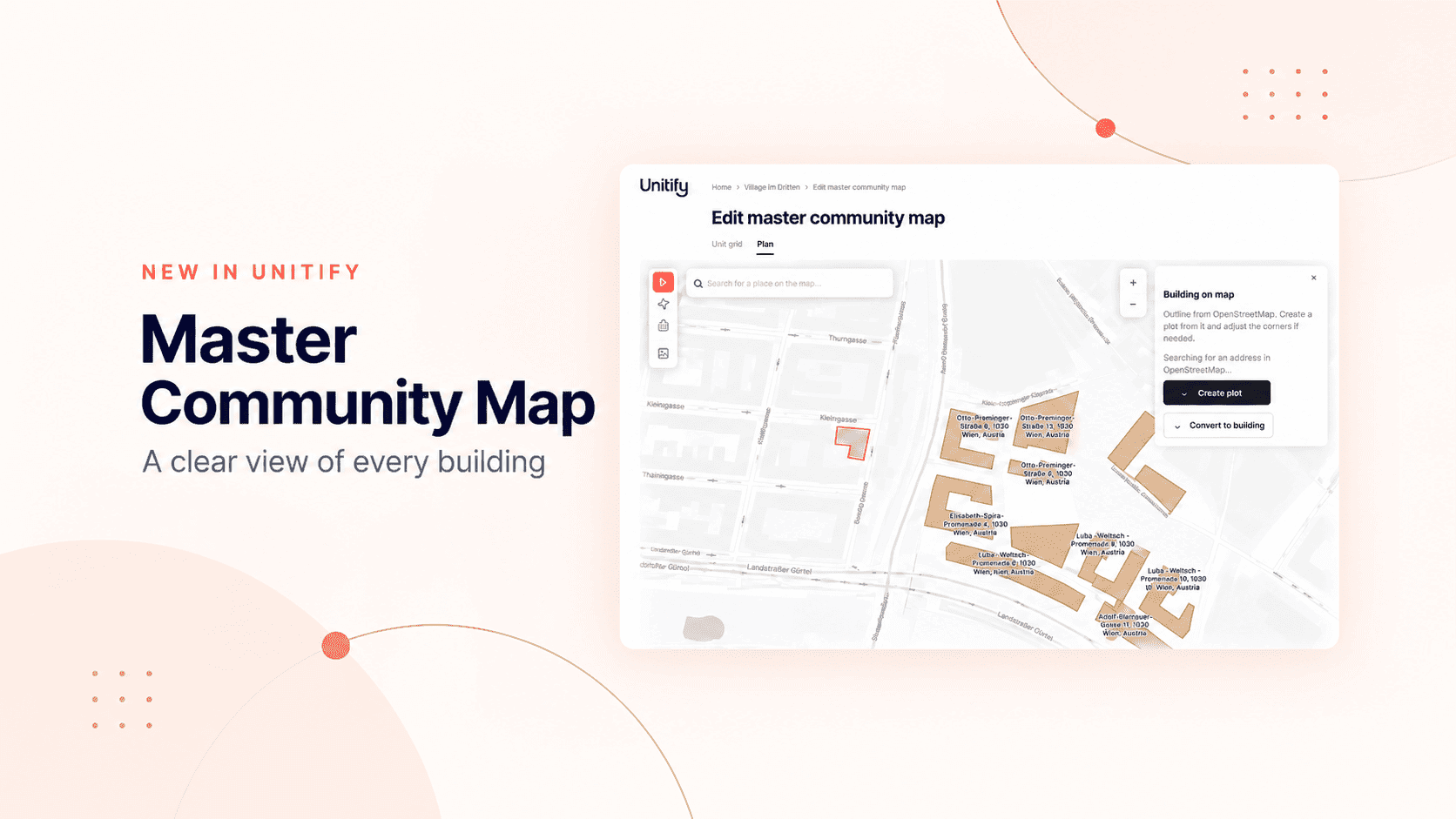
A large residential community is more than a collection of addresses. It has roads, plots and buildings arranged across a shared site. For property teams, understanding this layout is part of the daily work, especially when a development includes many buildings and hundreds or thousands of units.
A list of addresses can tell a team what buildings exist. A map also shows where they are and how they relate to one another.
Unitify’s Master Community Map brings these two views together. Property teams can build a plan of a residential community, mark its plots and buildings, and move between the plan and the buildings-and-units view in the same workspace.
How the map is set up
The plan is drawn on a map of the site. The editor works over satellite imagery, so the team finds the development with a place search and traces it as it looks on the ground. The plan can also be drawn without a location, over a site-plan image the team uploads.
Building outlines come from OpenStreetMap. Where an outline is available, the team turns it into a plot or a building and adjusts the corners if needed. Buildings added to the plan are the community’s own properties, each with its own units, so the plan is tied to the real data and not to a picture.
Once the plan is in place, the community page offers two views:
- The plan, which shows the layout of the community and the position of its buildings and plots.
- The buildings and units view, which lists the community’s houses and their units in a more detailed, structured form.
Each view answers a different question. The plan helps a team understand the site as a whole; the detailed view helps it work with the properties within that site.
Why a map matters
In a multi-building development, it is easy to lose the spatial context when information is organized only by address or building name. A plan gives property teams a shared visual reference. It makes it easier to locate a building, see how the community is organized and understand which part of the site a record belongs to.
This is useful when people coordinate work across a large property. A manager or technician can start with the overall plan, open a particular building and return to the plan when done. The plan can also show which buildings have requests in work.
From the site plan to day-to-day work
The Master Community Map is designed for communities where the site itself is an important part of property management. It gives teams a clearer overview while keeping the detailed view close at hand. The plan is shown on larger screens, and the Unitify team switches it on when your organization is set up.
For property teams managing large residential developments, that connection between place and property data makes everyday navigation more intuitive. The plan provides the context; the detailed view provides the data. Together, they offer a clearer way to understand and work with the whole community.